
If you're over 50 and wondering whether it's too late to build income online, you're not alone. Retirement insecurity can make you feel behind, and self-doubt can make every new platform, dashboard, and tool seem harder than it should. You may even wonder whether you missed your chance to learn affiliate marketing for beginners over 50 or build an online business for older women.
You haven't failed. Life happened, and you can still learn a practical system one step at a time.
Content repurposing strategies can help you turn one useful blog post into emails, social posts, videos, downloads, and other manageable assets. A widely cited benchmark referenced in later industry analyses says repurposing can increase results by 75% without a proportional increase in investment (content repurposing benchmark). That makes repurposing more than a production shortcut. It's a way to make your time work harder.
Affiliate marketing means recommending helpful products and earning a commission when someone purchases through your referral. I understand being cautious. Scams exist online, so education, honest recommendations, and clear disclosures matter. You don't need to master every technology at once. You need one useful source post, one audience goal, and a calm workflow that moves readers toward an owned email audience.
1. Transforming Blog Posts into Email Series
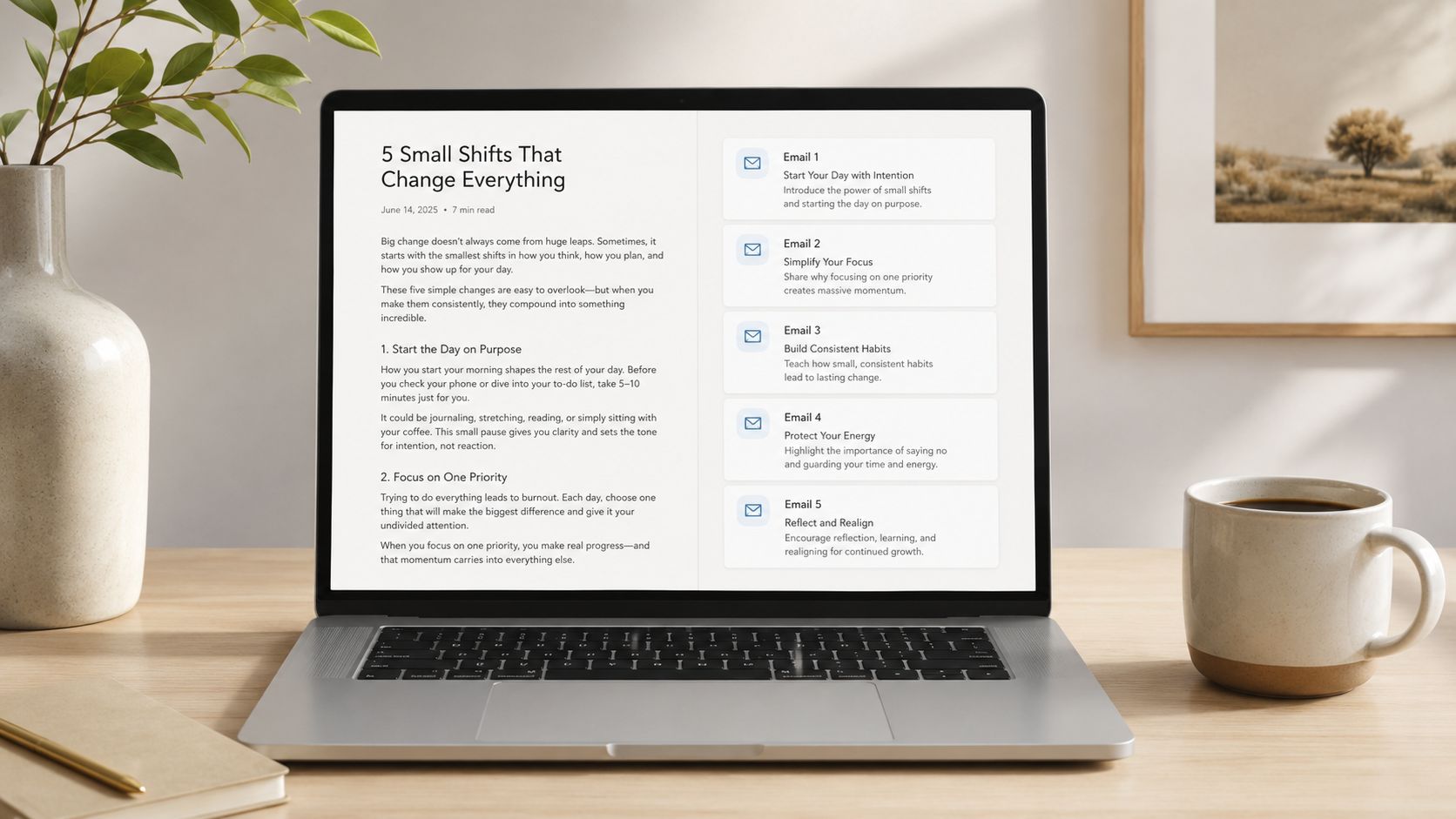
A strong blog post can become a thoughtful email conversation instead of disappearing after publication. Start with one detailed article and separate its main ideas into a sequence of messages. Each email should teach one small lesson, include a relatable example, and give the reader one action to try.
For example, a post about starting Affiliate Marketing over 50 could become emails about:
- Choosing a niche: Help readers connect their experience with a useful audience problem.
- Selecting a platform: Explain the difference between a blog, social channel, and email list.
- Vetting affiliate programs: Discuss relevance, trust, terms, and disclosure.
- Creating helpful content: Show how education should come before a recommendation.
- Building an email list: Explain why an owned audience matters.
- Promoting responsibly: Encourage useful invitations instead of pressure.
- Tracking progress: Focus on learning what readers respond to.
Use the article as a skeleton, not a script. Someone who reads only one email should still receive a complete, useful thought.
A simple email structure
Each message can follow this pattern:
- Subject line: Use a clear question or benefit.
- Opening: Begin with a small story or common concern.
- Lesson: Explain one idea from the original post.
- Action: Give the reader a manageable next step.
- Invitation: Link to the full article, a resource, or a relevant recommendation.
- Encouragement: Close with reassurance.
Leave 24 to 48 hours between messages when that timing fits your audience. Test subject lines, add a “missed an email?” link in later messages, and avoid turning every message into a sales pitch. A sequence about email List Building might address choosing an email provider, writing a welcome email, inviting subscribers, and maintaining a helpful rhythm.
I remember feeling overwhelmed by the idea of writing several emails from one article. Once I treated the post as a collection of conversations rather than a single assignment, the process felt much lighter.
2. Converting Articles into YouTube or Video Scripts
A reader may understand your article while rereading it, yet a video viewer needs guidance in real time. Your published post already supplies a workable path: opening context, teaching points, examples, and a conclusion. Convert that path into a YouTube outline, screen recording, slide presentation, or short talking-head lesson.
A post titled “Is Affiliate Marketing Legit for Women Over 50?” could become a video explaining how Affiliate Marketing works, addressing common concerns, showing how to evaluate an offer, and directing viewers to the written article. A niche-selection guide could become a screen recording of your research process. Each format can lead interested viewers back to your owned audience, where they can join your email list and get recommendations with more context.
Use headings as chapters and bullet points as talking prompts. Expand each point in your own words, adding pauses and examples. Reading the article aloud often sounds stiff, so keep the outline visible while speaking naturally. This guide can help you turn your blog posts into videos without treating production as a technical mystery.
Start with the least intimidating format
Choose the simplest setup that lets you teach clearly:
- Screen recordings: Use Loom to explain a page, process, or tool.
- Slides with voiceover: Create simple visuals in Canva and narrate them.
- Phone video: Record a quiet, direct explanation near a window.
- Edited clips: Use CapCut to remove long pauses and add readable captions.
A video in the 8 to 15 minute range gives you room to explain one topic without turning production into a large project. If that still feels demanding, record one key point as a shorter lesson. I once found an outline easier to manage than a blank recording screen, because each heading acted like a signpost.
Practical rule: Preserve your voice, but adapt the delivery. A blog reader can pause and reread. A video viewer needs clear signposts, examples, and visual movement.
Add timestamps and captions, then invite viewers to read the original article or join your email list. Track which videos earn meaningful viewing and clicks, and use that feedback to choose the next article to adapt.
3. Breaking Long-Form Content into Social Media Snippets
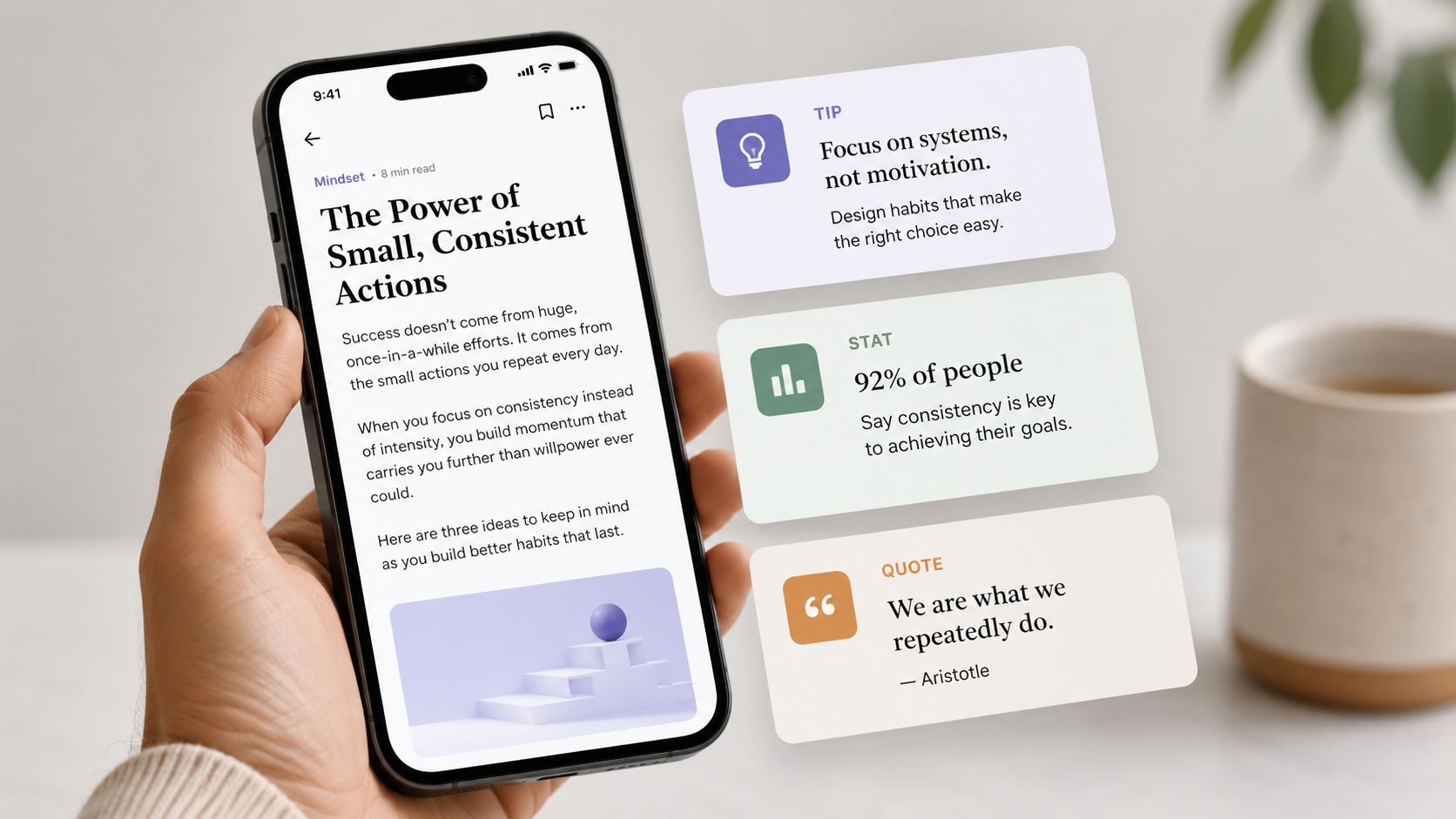
A long-form article can become a small collection of social posts, each helping new readers discover the original idea. Start with the message, then reshape it for the platform. Copying the same paragraph everywhere usually makes the content feel out of place.
An article about Retirement security could become a LinkedIn post on planning, an Instagram carousel of practical reminders, Pinterest graphics, and short social video prompts. A post about Affiliate Marketing mistakes could lead to separate snippets about trust, disclosures, and choosing products that suit the audience.
Give each piece one clear lesson. A focused takeaway is easier to understand and remember than an entire article squeezed into a single caption.
Build a small snippet bank
After publishing, scan the article for useful pieces:
- Questions: Turn reader concerns into opening lines.
- Steps: Make each step a standalone teaching post.
- Short stories: Share a relatable moment that makes the lesson human.
- Definitions: Explain terms such as “owned audience” or “affiliate link.”
- Practical reminders: Help readers avoid common confusion.
A simple snippet bank works like a tray of prepared ingredients. You can choose one idea, adapt its shape, and publish without reopening the whole article every time.
Use readable fonts and contrasting colors in Canva. Vary questions, tips, mini-stories, and visual explanations. Schedule the pieces across several weeks instead of releasing them together. This extends the article's working life and gives you time to see which topics invite thoughtful engagement.
Keep the audience journey visible
A social post should offer one useful point and one next action. Invite readers to read the full article or join your email list, rather than asking them to do several things at once. If a post receives meaningful comments, turn those questions into a future email or blog update.
For creators with limited time, this creates a manageable way to solve the distribution problem. Choose a few places where your audience already spends time, then follow a repeatable workflow: select one idea, adapt the format, add a clear invitation, and record the response. This connects social discovery with owned audience growth while showing which topics deserve more attention.
4. Creating Lead Magnets and Downloadable Resources from Blog Content
A lead magnet transforms a useful article into a practical resource readers can receive in exchange for their email address. It might be a checklist, worksheet, template, short guide, or planning document. The best lead magnets don't copy the blog post. They help readers complete one specific task.
A post about starting Affiliate Marketing over 50 could become a 30-Day Affiliate Marketing Starter Checklist. An article about email List Building could become an Email Growth Workbook with space for a niche statement, welcome sequence ideas, and subscriber invitations. A niche-selection article could become a worksheet that helps readers compare their interests, experience, and audience needs.
Choose one clear outcome
A useful download should answer a simple question: “What will the reader be able to do after using this?”
- A checklist: Helps someone move through a process.
- A worksheet: Helps someone make a decision.
- A template: Gives someone a starting structure.
- A focused guide: Explains one problem in plain language.
Design matters, but perfection isn't necessary. A clean Canva layout, generous spacing, readable type, and clear headings can make a resource feel considered. Keep the opt-in process simple, usually asking only for an email address, then send the download and welcome message promptly.
You can find additional guidance in this resource on how to create a lead magnet. Place the sign-up invitation naturally inside the article, near relevant sections, and at the end. Tell readers exactly what they'll receive and how it will help.
A lead magnet also supports ethical Affiliate Marketing. Once someone joins your list, you can continue teaching, explain why you recommend particular tools, and give subscribers room to decide. Trust grows when the recommendation follows the help.
5. Hosting Webinars or Live Training Sessions Based on Blog Content
A reader arrives with a question from your blog post, then leaves a live session having watched the process and asked what confused them. That exchange gives a webinar a different role from written content. You can explain the central idea, demonstrate each step, and respond to questions while the topic is still fresh.
Start with one post and one practical result. “Why Retirement Alone Isn't Enough” could become a training session on building a second income stream with useful digital assets. A beginner Affiliate Marketing article could guide a live dashboard walkthrough. An email List Building post could become a demonstration of creating an opt-in page and welcome message.
Use the article's headings as your teaching map. Add a story, a worked example, and a pause for questions so attendees can connect the idea to their own situation. A short slide deck and one clear demonstration are usually easier to follow than a crowded presentation.
Before you schedule the event, write the promise in one sentence: what will attendees understand or complete by the end? Then prepare the room, invitation, and follow-up around that result. A practical workflow includes:
- Registration and reminders: Explain the topic, then send reminders that help registrants plan to attend.
- Technology check: Test Zoom, YouTube Live, slides, and sound before going live.
- Early opening: Enter the room beforehand so you can welcome attendees calmly.
- Teaching and questions: Present the process, leave room for questions, and note useful topics for later content.
- Replay and follow-up: Send the recording soon after, then adapt strong questions into emails, social posts, or future articles.
A beginner-friendly session can run 30 to 60 minutes, depending on the topic and audience. If presenting makes you nervous, rehearse the opening and first teaching point instead of memorizing every sentence.
Use this guide to hosting webinars to support your planning. Keep the invitation honest, disclose affiliate relationships where relevant, and explain the next step without artificial pressure. People should have enough context to choose freely.
6. Building a Podcast Series or Audio Content from Blog Topics
Some readers learn while walking, driving, cooking, or handling household tasks. Audio gives them another way to follow your teaching when reading is inconvenient. It can also move a helpful blog post toward a closer relationship with your audience, especially when listeners hear your reasoning and personality over several episodes.
Choose a post with one clear argument or practical process. An article about why women over 50 can bring valuable experience to Affiliate Marketing could become a conversational episode about confidence, transferable skills, and imposter syndrome. An email List Building article might become a discussion of common concerns, simple solutions, and a next step for joining your list.
Use the headings as prompts rather than reading every sentence aloud. Add a brief story, explain an idea in plainer terms, and pause between sections so listeners can keep up. The result should sound like thoughtful teaching, not a document being spoken into a microphone.
Keep the equipment simple
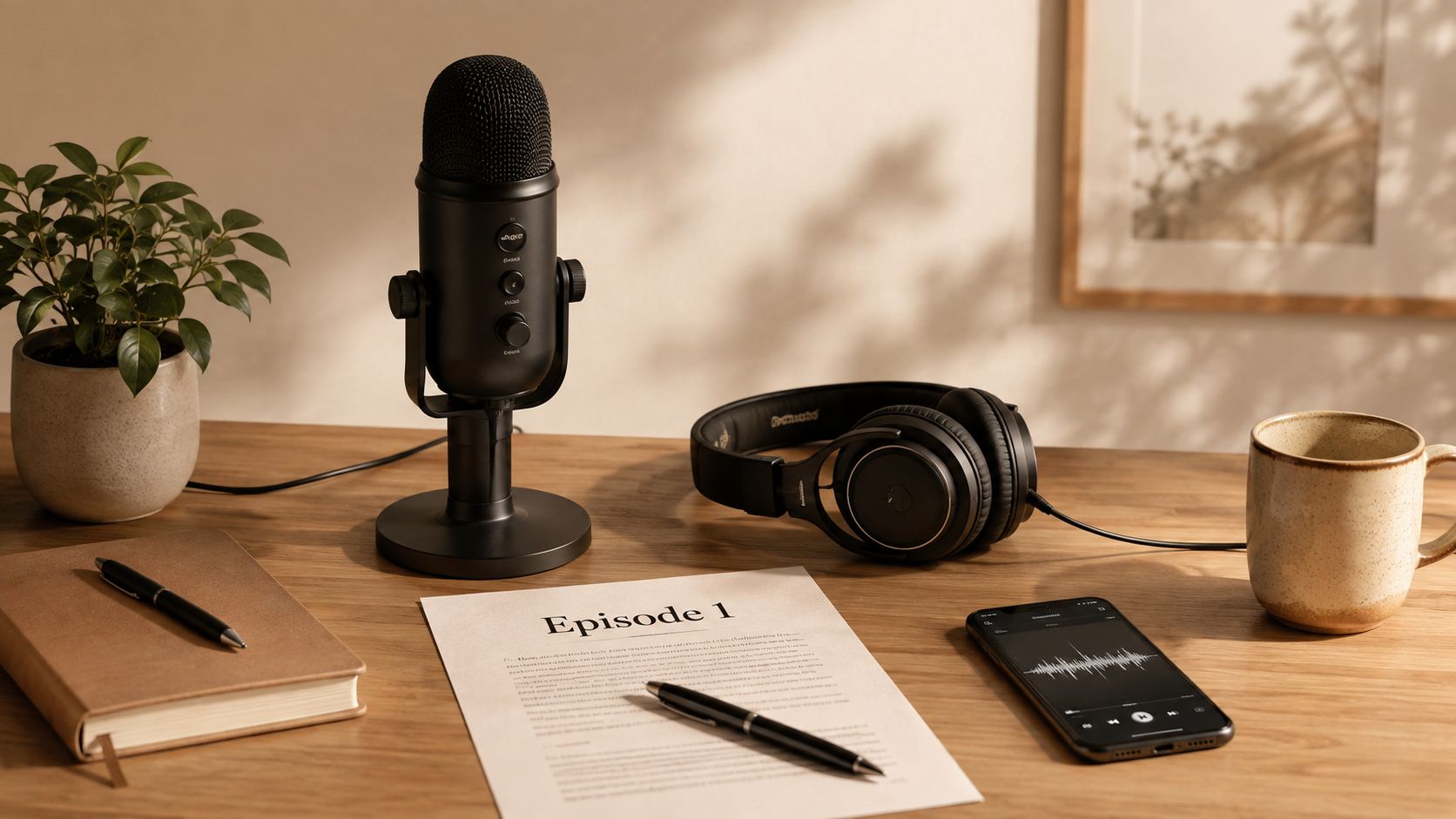
A phone, quiet room, and editing tool you can understand are enough to begin. Record a short introduction, teach the main points, share one personal example, and finish with one action step. If technology feels intimidating, make the first episode short and treat it as a test of your workflow, not a performance requiring studio equipment.
A useful series can follow four shapes:
- One problem: Explain a single obstacle and a reasonable response.
- One framework: Walk listeners through the process in the article.
- One question: Answer a concern such as “Is Affiliate Marketing legit?”
- A short series: Divide a broader personal journey into connected episodes.
Give each episode a clear title and show notes linking to the original blog post, lead magnet, or email sign-up. Simple hosting can distribute the recording where your audience already listens. Short excerpts can become social posts, while listener questions can supply ideas for future articles and emails.
Audio builds trust through consistency and openness. I once assumed professional equipment was necessary before recording anything. A simple first episode taught me more than another month of researching microphones.
7. Creating Infographics and Visual Guides from Data-Heavy Blog Posts
A data-heavy blog post can become a useful visual guide when readers need to compare options, follow a process, or understand a timeline. The graphic should act like a map. It gives readers the route first, then sends them to the full article for context.
Begin with one teaching goal. An article about Retirement security might become a guide to planning considerations. A post about building an email list could show the path from discovery to opt-in page to welcome email. An Affiliate Marketing comparison could place effort, control, and audience relationship side by side.
Choose the message before choosing colors or icons. If every detail receives equal emphasis, the viewer may remember none of it.
Build for quick understanding
Write a plain-language headline, then arrange the information in an order that matches the reader's question. Use spacing, headings, and size to show what deserves attention.
- One insight: State the idea readers should remember.
- Readable text: Design for phone screens as well as larger displays.
- Consistent colors: Keep to a small palette that fits your brand.
- Source notes: Cite original material beside any data or claim.
- Multiple versions: Adjust dimensions and layout for each platform.
Source the statistic visually when using the benchmark figure, linking to the original research. The 75% increase in results without proportional investment needs that context and should not appear as an unsupported decoration. repurposing efficiency research summary can serve as the source note. If a number does not help the explanation, leave it out.

Publish the finished visual inside the original post, adapt it into a Pinterest pin, use it during a webinar, or include it in a downloadable guide. Add a short description and a link to the full explanation. That path turns a quick visual lesson into deeper learning, while showing which formats attract attention and which deserve further testing.
8. Launching a Newsletter That Complements and Expands Blog Content
A reader finishes your blog post, closes the tab, and may never return. A newsletter gives that idea a continuing path: one useful email, a personal observation, and a clear next action that brings the reader back to your work.
Start with one repeatable promise. “Weekly Wins” could share a lesson from a recent post, a behind-the-scenes choice, a reader question, and one practical exercise. “Money Mondays” could address a single concern, explain one strategy, show a simple example, and invite one action. Familiar structure reduces planning time, while the content remains fresh.
Give each email a reason to exist
The blog post supplies the foundation. The newsletter adds the material readers cannot get by skimming the article, such as why the topic mattered to you, what confused you initially, or which small adjustment you are testing now. That extra context helps readers judge your advice and gradually builds trust before you recommend a resource or affiliate offer.
A simple email can follow this sequence:
- Subject line: Name the problem or lesson.
- Opening context: Explain why it matters now.
- One useful idea: Connect it to the full blog post.
- Practical action: Give readers a manageable next step.
- Invitation: Link to the article, download, or relevant offer.
Use the email newsletter best practices as a reference while shaping your format. Weekly or every-other-week publishing can work. Choose the schedule you can maintain without rushing.
Keep a small record of sends, opens, clicks, replies, and sign-ups. Compare short and longer emails over time, then adjust one element at a time. Your email list gives you a direct relationship with readers, rather than placing every follow-up in the hands of changing social feeds.
9. Packaging Blog Content into Online Courses
A course turns scattered blog posts into a guided route. Readers move from one lesson to the next instead of searching across several articles, while you reuse material you have already tested.
For example, posts on niche selection, content creation, and promotion can form a beginner course. Add guided exercises, worksheets, and question sessions so learners apply each idea. A lead magnet about starting Affiliate Marketing could become a short course with video explanations, examples, and templates.
Begin with a small teaching experience. A compact email course or mini-course lets you check whether the sequence is clear before producing a larger library.
Build a path from reading to doing
Give every module a practical job. It should help the learner understand one idea, create or decide something, and choose a next action. Those three points turn a collection of posts into progress.
Blog articles can supply the explanations, but a course needs support around them. Add checklists, reflection questions, demonstrations, and assignments. If a learner finishes a lesson without knowing what to do next, revise the handoff before adding more material.
Choose the format according to time and impact. An email course is faster to assemble and can reveal common questions. A paid mini-course requires more preparation, but it gives people who want structure a clearer learning experience. Explain what the course includes, who it is for, and what it does not promise. Early subscribers can review the first version, with their questions and feedback guiding revisions.
Treat the course as a maintained resource. Check links, update tools, and replace examples when they no longer fit. The goal is a learner who can move from uncertainty to a useful next step, not a larger content archive.
10. A/B Testing and Analytics for Repurposed Content
You publish an email drawn from a blog post, then notice readers open it but rarely click. That result is useful. Begin with a small set of actions, such as opens, clicks, replies, registrations, or visits to the next resource. These signals show where the journey from one post to an owned audience slows down.
A simple comparison can answer one question at a time. Try two subject lines for emails based on the same article, two Pinterest designs for one visual guide, or different video thumbnails and calls to action. The goal is not to find a permanent winning format. It is to learn which version helps this audience understand the idea and take the next step.
Change one element at a time
Keep the test narrow. If you alter the subject line, preview text, offer, and email body together, the result cannot show which change mattered.
- Subject lines: Compare a question with a direct benefit.
- Headlines: Test a problem-focused opening against a step-focused one.
- Thumbnails: Change the image or text treatment, not every element.
- Calls to action: Compare “read the guide” with “download the worksheet.”
- Links: Add UTM parameters to identify the originating channel.
Use a basic review routine: record the version, channel, audience, and chosen action, then compare results after enough people have seen each version. Platform analytics can show which snippets attract attention, while email analytics can reveal which lessons encourage clicks. A quiet post may still help a later reader, and a popular post may bring attention without growing your owned audience.
For creators who want help preparing variations, AI repurposing tools for creators can assist with drafting and organizing. Review every output for accuracy, tone, disclosures, and relevance. Technology can reduce preparation time, while your review keeps the message suitable for the people you hope will trust it.
10-Strategy Content Repurposing Comparison
| Strategy | 🔄 Implementation complexity | ⚡ Resource requirements & timeline | ⭐ Expected outcomes / 📊 Impact | Best use cases | 💡 Key advantage |
|---|---|---|---|---|---|
| Transforming Blog Posts into Email Series | 🔄 Moderate, restructure into 5–7 sequenced emails | ⚡ Minimal tools (email platform); 1–2 hrs per post | ⭐ High engagement; 📊 multiple touchpoints & higher open rates | Subscribers who prefer bite-sized learning; step-by-step guides | 💡 Extends content lifespan and warms list with little extra writing |
| Converting Articles into YouTube or Video Scripts | 🔄 Higher, outline, record, edit | ⚡ Camera/recording + editing tools; 3–4 hrs per video | ⭐ High reach & trust; 📊 long-term traffic via video SEO | Visual learners; demos, walkthroughs, personal branding | 💡 Humanizes content and demonstrates processes visually |
| Breaking Long-Form Content into Social Media Snippets | 🔄 Moderate, adapt copy + design for formats | ⚡ Canva + scheduling tools; 2–3 hrs per post set | ⭐ Moderate-to-high reach; 📊 multiplatform visibility & traffic | Social audiences; testing messaging and driving clicks | 💡 Efficiently multiplies reach and tests which messages resonate |
| Creating Lead Magnets & Downloadables from Blog Content | 🔄 Moderate, design + opt-in setup | ⚡ Email platform, Canva; 3–4 hrs per magnet | ⭐ Very high subscriber conversion; 📊 increases qualified leads | Action-oriented readers; list-growth campaigns | 💡 Packages free content into high-perceived-value offers that convert |
| Hosting Webinars / Live Training Sessions | 🔄 High, prepare slides, rehearse, host live | ⚡ Zoom/YouTube, email sequence; 6–8 hrs total | ⭐ Very high conversions; 📊 strong engagement & replay value | Interactive learners; high-trust or higher-priced offers | 💡 Live Q&A handles objections and creates urgency to act |
| Building a Podcast Series / Audio Content | 🔄 Moderate, outline, record, edit audio | ⚡ Microphone + hosting; 4–6 hrs per episode | ⭐ Moderate effectiveness; 📊 builds loyal, on-the-go audience | Busy listeners; storytelling and deeper discussions | 💡 Creates intimacy and repurposes episodes into transcripts/clips |
| Creating Infographics & Visual Guides | 🔄 Moderate, design-focused work | ⚡ Canva/Venngage or designer; 2–3 hrs each | ⭐ High shareability; 📊 long-term Pinterest & social traffic | Data-heavy posts; visual learners; social sharing | 💡 Makes complex info digestible and highly shareable |
| Launching a Complementary Newsletter | 🔄 Moderate, ongoing content commitment | ⚡ Email platform; ongoing cadence (weekly/bi-weekly) | ⭐ High loyalty & retention; 📊 steady traffic and community growth | Readers wanting deeper connection and exclusives | 💡 Owns a direct channel that builds habit and feedback |
| Packaging Blog Content into Online Courses | 🔄 High, curriculum design + production | ⚡ Course platform, video/tools; 10–30 hrs (mini-course) | ⭐ High monetization potential; 📊 structured learner outcomes | Audiences seeking guided learning and paid training | 💡 Turns free content into scalable revenue with clear outcomes |
| A/B Testing & Analytics for Repurposed Content | 🔄 Moderate, tracking setup and test design | ⚡ Analytics, A/B tools; 1–4 weeks per test | ⭐ Improves ROI over time; 📊 data-driven optimization of formats | Data-driven creators; improving conversion and engagement | 💡 Reduces guesswork and focuses effort on high-impact variants |
Turn One Helpful Idea into a Steadier Second Chapter
You don't need to use all ten content repurposing strategies. That would create a new form of overwhelm, which defeats the purpose.
Choose one source post, one audience goal, and one format. If your priority is email growth, begin with a lead magnet or email sequence. If your priority is reach, create social snippets. If you have more time and feel comfortable experimenting, add video, live training, audio, a course, or simple testing.
The latest summaries cited in the provided industry coverage report that 94% of marketers repurpose content regularly, while only 29% have a systematic process (2026 repurposing process benchmark). The gap matters. Many people are already reusing content informally, but fewer have made it a repeatable habit. You don't need an elaborate content machine. A small documented process can be enough.
A blog post can move through this sequence:
- Core post: Teach one meaningful problem or process.
- Email sequence: Divide the lesson into helpful conversations.
- Lead magnet: Package one action into a worksheet or checklist.
- Social snippets: Share focused ideas that point back to your site.
- Video or webinar: Explain the process aloud and answer questions.
- Newsletter: Add personal context and continue the relationship.
- Analytics: Notice what readers click, save, reply to, or request.
Industry coverage also reports that one blog post can typically become 8 to 12 content pieces, and that repurposing can reduce per-piece costs by about 80% compared with creating new assets from scratch (content repurposing ROI summary). Use those figures as a reason to work more thoughtfully, not as a demand to publish constantly. The most valuable asset is a useful message that continues helping people.
For women concerned about Retirement, this focus can feel especially important. The U.S. Treasury reports that about one-third of surveyed women expect their Retirement income or savings won't cover monthly bills, while 59% of women said they don't earn enough to save for Retirement, rising to 81% among low-income women (U.S. Treasury on women's Retirement security). Those figures don't mean you should panic or chase a quick online promise. They reinforce the value of learning practical skills, building an owned audience, and creating assets that can support your next chapter.
Retirement planning also deserves honest attention. AARP reports that only 9% of women ages 50 to 64 were very confident they would have enough money to live comfortably throughout Retirement, while 25% were not at all confident (AARP on older women and Retirement stress). Content repurposing won't solve every financial concern, and Affiliate Marketing isn't a guaranteed income source. It can, however, help you share useful education consistently while you learn how an online business works.
If you recommend products through Affiliate Marketing, explain the relationship clearly. The FTC's Affiliate Marketing Rule defines Affiliate Marketing as marketing initiated from eligibility information communicated by an affiliate and intended to encourage a purchase. It explicitly includes communications such as direct mail and email directed to a specific consumer based on that information (FTC Affiliate Marketing Rule). In plain language, disclose when a link may earn you a commission and recommend only products that fit the reader's needs.
Health care planning adds another reason to value preparation. A report cited by NCPSSM estimates that a 65-year-old seeking a 50% chance of covering Health care costs in Retirement would need $79,000 for a man and $104,000 for a woman, a 24% gap (NCPSSM on women and Retirement). This isn't a reason to promise results. It's a reminder that knowledge, flexibility, and careful planning can support dignity and peace of mind.
Victoria OHare's resources may be useful if you want beginner-friendly guidance on Affiliate Marketing, List Building, webinars, and simple automation. You can explore Victoria OHare's practical resources and choose one lesson that matches your current ability and energy.
Repetition builds trust when the message stays helpful. One blog post can become an email that answers a question, a social post that reaches someone new, a worksheet that earns permission to stay in touch, and a video that makes the lesson easier to understand. Over time, those pieces become assets. An asset can keep working after the original writing session, while a paycheck usually stops when the workday ends.
You're not behind. You don't have to understand every tool today, and you don't have to build everything at once. Start with the article you already have, choose one reader you want to help, and turn one idea into one useful next step. The next five years will pass either way. The question is whether you'll use them to build something that gives you greater control, independence, and peace of mind.
Victoria OHare offers step-by-step resources for Affiliate Marketing, email List Building, brand ambassadorship, webinars, and simple automation. Visit Victoria OHare to find a beginner-friendly lesson that can help you repurpose one useful idea into content, trust, and an owned audience.