
If the words email automation make you want to close your laptop, you're in the right place. A lot of creators feel this way, especially if you're already carrying the quiet worry that you're behind, Retirement may not feel as secure as you'd like, and every new tool seems to come with ten more things to learn. That doesn't mean you've missed your chance. It means you need a calmer way in.
Email automation isn't only for big brands with complicated funnels. At its best, it's a simple system that sends the right message when someone needs it. Done well, it gives you more consistency, more trust with your readers, and more peace of mind in your business.
I remember how intimidating this felt the first time I opened an automation builder. It looked like a maze. But once I stopped trying to build everything at once, it started to make sense.
A helpful place to begin is seeing how a simple workflow is structured in practice. This overview of email automation by Zenfox.ai can help you picture what happens behind the scenes without making it feel overly technical.
1. Build and Maintain a Clean, Engaged email list
A healthy email list beats a large, sleepy one every time.
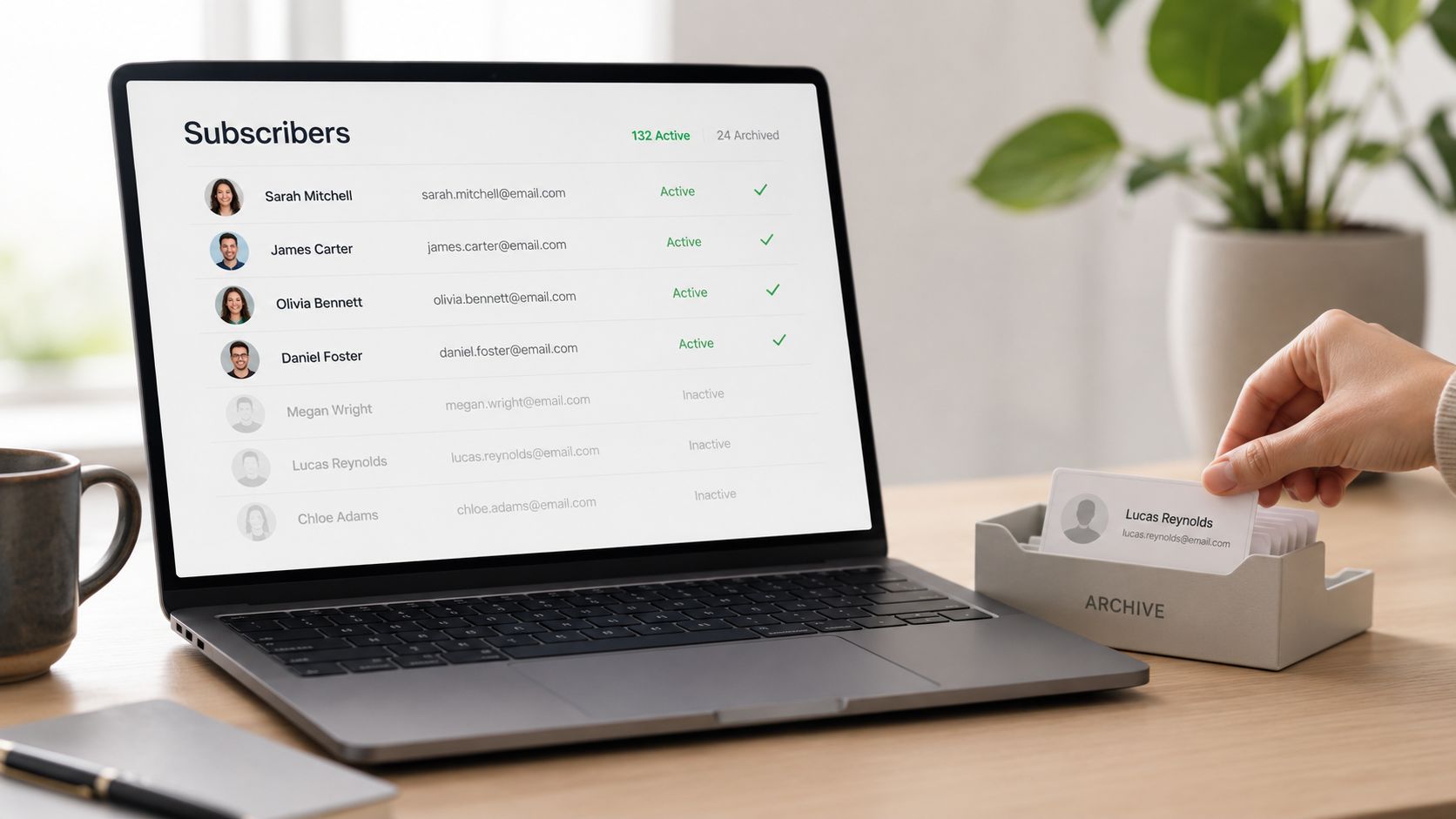
If someone joined your list because they want your content, they're more likely to open, click, and stay. If your list is full of old addresses, accidental signups, or people who forgot who you are, automation gets messy fast. Your best emails end up going to people who aren't interested, while the people who do care may miss out.
 email list management interface." />
One of the kindest things you can do for your future self is keep your list permission-based and current. That means confirming new signups, setting expectations early, and removing people who haven't engaged in a long time.
What a clean list looks like
A Substack writer with a modest but loyal audience often gets better results than someone chasing fast growth with low-quality leads. The reason is simple. Relevance matters more than vanity.
You can support that relevance by using double opt-in, honoring preferences, and reviewing inactive contacts on a regular schedule. If you want a practical walkthrough, this guide on how to clean an email list is a good next read.
Practical rule: If a subscriber hasn't engaged for a long stretch, don't keep sending forever. Try a short re-engagement attempt, then let the list get smaller and healthier.
A few habits make this easier:
- Set expectations early: Use your first email to say what you'll send and how often.
- Review inactive subscribers: Check your list every quarter or twice a year.
- Watch feedback signals: Bounces and unsubscribe reasons can tell you when your messaging is off.
- Ask before removing: A simple "still want these emails?" message can give subscribers a choice.
Clean lists aren't glamorous. But they support every other email automation best practice that follows.
2. Segment Your Audience for Personalized, Relevant Messaging
A new subscriber joins your list after reading a post about Affiliate Marketing. Another signs up because she wants ideas for a more flexible second career. If both people get the same next five emails, one of them will likely feel like they showed up to the wrong room.

Segmentation solves that problem by helping you send the right message to the right group. For creators who feel buried by tech, this is good news. You do not need a giant web of tags, branches, and rules. A few clear groups are enough to make your emails feel more personal and much easier to manage.
A helpful way to picture it is sorting mail into labeled trays. One tray is for beginners. One is for people exploring a career shift. One is for readers who keep clicking on newsletter growth content. Once the trays are set up, your email tool knows where each person belongs.
Start with a few segments that actually change the message
Good segments are practical. They answer a simple question: what should this person receive next?
Emailmonday reports that 42% of companies use marketing automation, while 54% use CRM or sales automation. The takeaway is simple. Automated sorting and follow-up are now common, which makes it worth learning the basics in a calm, manageable way.
You can start with groups like these:
- Interest-based segment: A subscriber who joined from an Affiliate Marketing article gets beginner tips first.
- Behavior-based segment: A subscriber who clicks product tutorials gets more how-to content.
- Stage-based segment: A person just getting started needs different guidance than someone ready to grow income from an existing audience.
That is enough for many creators.
If you want help choosing a tool that makes tagging and simple automations easier, this guide to the best autoresponder for affiliate marketers is a useful place to compare options. If you want more ideas for organizing subscriber groups, this guide to email segmentation best practices keeps the process approachable.
Segmentation also helps outside pure marketing. If you sell digital products, teach, or answer frequent reader questions, you can scale customer support with automation by sending the right replies and resources based on what someone asked for or clicked.
The goal is not to build a clever system. The goal is to help each subscriber feel understood.
Start small. Three thoughtful segments can bring a lot of order to your email automation and give you more peace of mind every time a new subscriber joins.
3. Automate Welcome and Onboarding Sequences
A new subscriber joins your list, grabs your free resource, and waits to see what happens next.
That moment is small, but it carries a lot of weight. If the first few emails feel clear and helpful, the subscriber relaxes. They know who you are, what to expect, and where to start. For creators who feel intimidated by automation, this is a good place to begin because it is simple, useful, and easy to maintain.
A welcome sequence works like greeting someone at the door instead of shouting across a crowded room. You are not trying to build an advanced funnel here. You are helping one new person get oriented.
A short series is usually enough. For many creators, 3 to 5 emails gives you room to deliver what you promised, introduce your voice, and guide people to one useful next step without creating extra complexity.
What to include in a simple welcome flow
You can keep the structure straightforward:
- Email one: Deliver the free guide, checklist, or resource they signed up for.
- Email two: Introduce yourself and explain how you can help.
- Email three: Share your most useful starting article, video, or tutorial.
- Email four or five: Invite a reply, suggest a tool, or ask what they want help with next.
Each message should do one job well.
That is what makes onboarding feel calm instead of confusing. If every email tries to teach everything at once, subscribers skim, click away, or forget why they joined. A simple sequence gives them a path to follow, one step at a time.
Many creators make this harder than it needs to be. They assume automation means building a complicated machine with tags, branches, and endless conditions. At this stage, it is closer to setting up a row of welcome notes that go out in the right order.
If you are still choosing a platform, this guide to the best autoresponder for affiliate marketers can help you compare beginner-friendly tools. And if you want to reduce repetitive replies alongside your email sequence, this article on scale customer support with automation shows how the same step-by-step thinking can help there too.
Warmth matters here. Clarity matters more.
Your welcome sequence does not need polished brand language or clever tricks. It needs to sound like a real person helping a new reader get settled. That is how automation starts to feel less technical and more human.
4. Use Behavioral Triggers for Timely, Relevant Automation
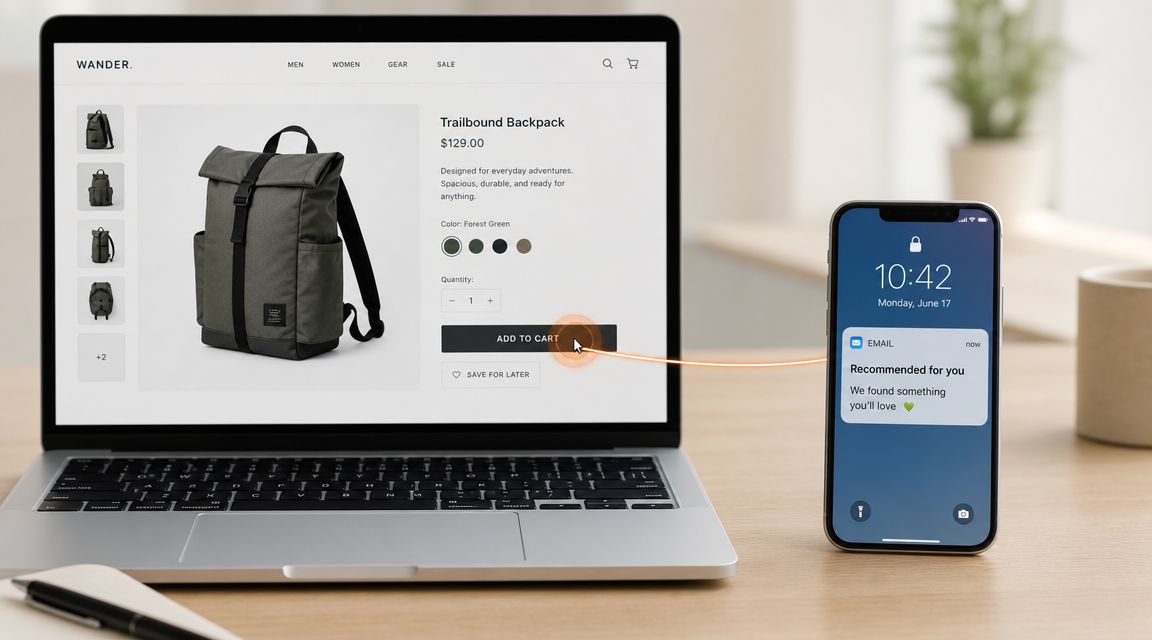
A reader joins your list, clicks on a guide about getting started, and then receives an email about something unrelated three days later. That feels off. A simple trigger fixes that by sending the next helpful email based on what the reader did.
That is the heart of behavioral automation. It listens before it speaks.
Instead of sending the same message to everyone on the same date, you set up small follow-ups tied to actions. A signup can start a welcome series. A click on a topic can lead to one useful resource on that same topic. A download can prompt a short email that helps the person use what they just requested.
A triggered email often feels more human because the timing makes sense.
Start with just a few triggers
If tech feels heavy, keep this part small. You do not need a complicated web of rules. A good starting setup is more like placing a few signposts on a path so subscribers get the right next step without you manually guiding each turn.
Try one or two triggers first:
- New subscriber trigger: Send your welcome series.
- Link-click trigger: If someone clicks a topic-specific link, send one related email.
- Inactive subscriber trigger: Send a short check-in sequence, then stop emailing if they remain inactive.
- Lead magnet trigger: If someone downloads a guide, follow up with beginner-friendly steps tied to that topic.
Each trigger should answer one simple question: what would help this person next?
That question keeps automation useful instead of noisy. It also protects your energy. You are not trying to build an advanced funnel on day one. You are setting up timely replies that build trust and save you from repeating the same manual work.
A good automation feels well-timed and considerate.
This short video can help you picture how trigger-based logic works in everyday marketing.
If this still sounds technical, start with the easiest behavior to track: a signup, a click, or a download. Set up one follow-up email. Test it. Read it as if you were the subscriber. Small systems create peace of mind because they are easier to understand, easier to trust, and easier to improve later.
5. Create Value-First Content Rather Than Constant Promotions
You open your inbox and see five emails asking for something. Buy this. Click that. Sign up today. By the third one, your guard is up.
Your subscribers feel that too.
Email automation works best when it feels like a helpful note, not a cashier speaking through a megaphone. For creators who already feel unsure about the tech side, this is good news. You do not need a complicated sales machine. You need a simple habit of sending emails that leave people better off than they were a few minutes earlier.
That is what value-first means.
It means your emails teach, clarify, reassure, or save time before they ask for a sale. A useful email might share one small lesson, one honest story, one mistake you made, or one tool you use and why it helped. The goal is not to impress people with a big funnel. The goal is to build trust one message at a time.
A simple way to judge an email is this: would someone still be glad they opened it if they did not buy anything?
If the answer is yes, you are on solid ground.
What value-first actually looks like
Say you help women in midlife start an online business. One email could explain how to choose between two niche ideas. Another could calm the fear of "breaking" the tech by showing the first three setup steps. Later, after those lessons have done their job, you might recommend an email tool, course, or template that supports the process.
That promotion feels natural because it follows help. It does not interrupt help.
This also makes automation easier to manage. Instead of trying to write endless sales emails, you build a small library of useful messages that answer common questions. That gives your subscribers a better experience, and it gives you more peace of mind because you know your system is serving people, not just selling at them.
Try a simple content mix like this:
- Teach one small thing: Keep each email focused on a single useful takeaway.
- Share lived experience: Talk about what confused you, what you tried, and what finally made sense.
- Recommend with context: Explain who a tool or offer is for, and who it may not suit.
- Protect trust: Only promote something you would feel comfortable recommending in a one-to-one conversation.
Many creators hesitate here for good reason. Online marketing can feel noisy, pushy, and hard to trust. A value-first approach gives you a steadier path. You start small, help first, and earn attention instead of demanding it. Over time, that kind of email list becomes easier to grow, easier to write for, and much more rewarding to maintain.
6. Optimize Send Times and Frequency for Your Specific Audience
There isn't one perfect send time for everyone. Your subscribers have their own routines, energy, and habits.
A work-from-home mom may read emails in the early afternoon. A woman thinking about a career pivot might sit down with her inbox on Friday morning. A creator audience may check messages after posting content for the day. The only useful schedule is the one your audience can keep up with.
Consistency first, testing second
If you're new to this, pick one day and one time and stay there long enough to learn from it. Constant changes make it hard to tell what's working.
You can also keep your automation sequences realistic. The benchmark guidance earlier suggests abandoned-cart flows often work best at about 1 to 3 emails, and re-engagement flows at about 1 to 2 emails before suppressing inactive contacts. The larger lesson is simple. More emails aren't always better. Better-timed emails are.
A calm testing routine helps:
- Choose a steady rhythm: Weekly is often easier to maintain than trying to send constantly.
- Change one thing at a time: Test day first, then time, then frequency.
- Watch reactions closely: Unsubscribes and complaints matter as much as opens.
- Offer options when possible: Some subscribers may prefer a digest or topic-based updates.
If your audience starts tuning out, the answer usually isn't more volume. It's better timing and better relevance.
One creator I know kept blaming herself for weak engagement. The underlying issue was simpler. She was emailing too often for the stage her audience was in. Once she slowed down and became more consistent, her whole system felt easier to manage.
7. Create Clear Calls to Action and Single Email Objectives
Confused readers don't click.
If an email asks someone to read a blog post, join a webinar, buy a product, answer a question, and follow you on social media, recipients are likely to do nothing. A focused email is kinder to the reader and easier for you to measure.
That doesn't mean your emails have to be stiff. They can still be warm and personal. They just need one main job.
Give each email one next step
Think of your email as guiding someone across a small bridge. You don't need five exits. You need one clear path.
A few examples:
- Story email: Share a personal lesson, then invite the reader to read the related article.
- Tool email: Introduce one resource, then invite the reader to explore it.
- Lead magnet follow-up: Remind them to use the guide they downloaded.
- Community email: Ask them to reply with their biggest question.
Use direct language in the button or link. "Read the guide" is clearer than "Learn more." "Join the workshop" is clearer than "Click here."
I like to write the call to action first. It keeps the rest of the email honest. If I can't explain the next step clearly, the email usually isn't ready yet.
Clear calls to action reduce decision fatigue. That's especially helpful for readers who are already overwhelmed.
This is one of the simplest email automation best practices to apply, and it can immediately make your sequences easier to write.
8. Maintain Consistent Branding and Voice Across Email Communication
People should know it's you before they even reach the end of the first paragraph.
That doesn't require fancy templates or complicated design. It means your tone, rhythm, and values feel familiar from one email to the next. If you write with a calm, practical voice on your blog but sound pushy in email, readers feel the disconnect.
Consistency builds trust. It tells subscribers they're in the right place and that they know what to expect from you.
Let your voice do part of the work
One creator writes short, thoughtful emails that always end with a reflective question. Another shares a small personal story at the top of every message before offering one practical tip. Both approaches work because they're consistent.
You can make this easier by deciding a few things in advance:
- Your tone: warm, clear, honest, encouraging
- Your structure: short intro, one lesson, one next step
- Your visuals: same logo, colors, sender name, and footer style
- Your sign-off: a familiar closing phrase readers begin to recognize
I remember trying to sound more polished in my early emails. The result was flat. The moment I wrote more like I speak, everything became easier. The emails felt more natural, and the replies felt more human too.
A recognizable voice is part of your asset. It gives your email list a sense of continuity, which is especially important when automation is running in the background.
9. Test and Iterate Based on Performance Data
You send an automated email, then wonder, "Did that work, or did it just go out?"
That question is a good place to start.
Testing does not need to feel technical or heavy. For creators who already feel stretched by the tools, it helps to treat email improvement like adjusting a recipe. Change one ingredient, taste the result, and make a small note. Then repeat.
The goal is not to build a perfect system right away. The goal is to get a little clearer each time you send.
Keep your tests simple enough to trust
If you change the subject line, send time, and call to action all in the same round, you will not know which change made the difference. A smaller test gives you a cleaner answer and a calmer process.
Start with one variable at a time:
- Subject line: clear and direct versus more curiosity-driven
- CTA wording: "Download the guide" versus "Get the guide"
- Send timing: morning versus evening
- Email length: short note versus a slightly fuller version
Welcome emails are a smart place to practice because new subscribers are usually paying close attention. That makes early patterns easier to spot. If one version gets more opens, clicks, or replies, you have learned something useful without creating a complicated experiment.
Deliverability also affects what your numbers mean. A weak open rate is not always a writing problem. Sometimes the email was harder to find in the inbox. If that is on your mind, this guide on how to stop email from going to spam in Gmail can help you troubleshoot the basics.
Small tests add up.
One better subject line will not transform your whole email system overnight. Ten rounds of small improvements can make your automation feel clearer, more helpful, and more reliable. That is how confidence grows for creators who feel overwhelmed by tech. You start small, learn from real behavior, and build peace of mind one decision at a time.
10. Respect Compliance Laws and Set Clear Unsubscribe and Preference Options
This part isn't flashy, but it matters.
When people invite you into their inbox, they're trusting you with attention and personal data. Respecting that trust means making it easy to leave, easy to update preferences, and easy to understand who the email is from.
A good compliance setup protects both your audience and your sender reputation. It also lowers stress, because you don't have to wonder whether your footer, subject line, or unsubscribe process is creating problems.
Build trust into the basics
Every email should clearly identify the sender and include the business details your platform requires. Your unsubscribe link should be visible and functional. Subject lines should match the content inside.
A preference center is especially helpful for creators who cover more than one topic. Some readers may want weekly tips but not promotional emails. Others may only want content on a specific subject. Giving them options is often better than losing them entirely.
Keep these habits in place:
- Use an email platform with compliance tools built in
- Make unsubscribe simple and obvious
- Write honest subject lines
- Honor data and privacy requests promptly
- Remove bounced or invalid addresses regularly
I've seen creators avoid this because they think legal details are only for bigger businesses. But simple compliance is part of being trustworthy from day one. It helps your automation stay sustainable instead of becoming one more thing to worry about.
Email Automation: 10 Best Practices Comparison
| Item | Implementation Complexity 🔄 | Resource Requirements ⚡ | Expected Outcomes 📊⭐ | Ideal Use Cases | Key Advantages |
|---|---|---|---|---|---|
| Build and Maintain a Clean, Engaged email list | Moderate, ongoing hygiene & segmentation | Low–Moderate: time for cleanup, basic tools | 📊 Higher deliverability, better engagement, improved ROI ⭐ | Creators prioritizing quality subscribers, affiliate marketers | Improved sender reputation, more qualified leads |
| Segment Your Audience for Personalized Messaging | Moderate–High, planning & mapping | Moderate: tagging, data collection, platform features ⚡ | 📊 Higher open/CTR and conversions from targeted offers ⭐ | Diverse audiences, niche affiliates, multi-offer businesses | Personalization at scale, better relevance |
| Automate Welcome and Onboarding Sequences | Low–Moderate, initial content work | Low: sequence setup, copywriting, automation rules ⚡ | 📊 Strong early engagement, trust-building, higher onboarding conversion ⭐ | New subscribers, lead magnet delivery, course signups | Consistent first impression, frees time |
| Use Behavioral Triggers for Timely Automation | High, technical tracking & logic 🔄 | High: integrations, tracking, testing tools ⚡ | 📊 Significantly higher conversions when triggered at intent ⭐ | E‑commerce, cart recovery, timely affiliate promos | Highly contextual, scalable personalization |
| Create Value-First Content Rather Than Constant Promotions | Moderate, content strategy & cadence | Medium–High: ongoing content creation, editorial planning ⚡ | 📊 Stronger long-term retention and loyalty; slower short-term revenue ⭐ | Brand-building newsletters, long-term monetization | Deep trust, more effective occasional promotions |
| Optimize Send Times and Frequency for Your Audience | Low–Moderate, requires testing over weeks | Low: analytics, A/B testing time ⚡ | 📊 Improved opens and reduced unsubscribes when optimized ⭐ | Any audience; geographically dispersed lists | Data-driven cadence; reduced reader fatigue |
| Create Clear Calls-to-Action and Single Email Objectives | Low, disciplined copy/design | Low: copywriting, simple design tweaks ⚡ | 📊 Higher CTRs and clearer measurement; easier testing ⭐ | Promotion emails, conversion-focused sends | Better conversions, lower cognitive load |
| Maintain Consistent Branding and Voice Across Emails | Moderate, define and enforce brand guidelines | Low–Moderate: templates, style guide, creative time ⚡ | 📊 Increased recognition, loyalty, and emotional connection ⭐ | Creators building a recognizable personal brand | Distinctive voice, scalable consistency |
| Test and Iterate Based on Performance Data | Moderate, systematic testing process 🔄 | Low–Moderate: analytics, time to analyze and document ⚡ | 📊 Incremental gains compound into significant performance improvements ⭐ | Anyone seeking continuous improvement | Data-driven decisions; repeatable wins |
| Respect Compliance Laws and Provide Unsubscribe/Preferences | Moderate, legal setup & preference center | Low–Moderate: platform features, documentation ⚡ | 📊 Better deliverability, lower risk of fines, higher trust ⭐ | All senders, especially international lists | Legal protection, improved sender reputation 💡 |
Your Next Small Step to Peace of Mind
You do not need to implement all ten of these ideas this week. You probably shouldn't.
If you're over 50, building something new online can stir up more than technical questions. It can bring up fear about Retirement, worry that you waited too long, and that sinking feeling that everyone else understands the tools better than you do. I want to say this clearly. You're not behind. You're learning a skill, and skills can be learned slowly, one small piece at a time.
Email automation is not about becoming more robotic. It's about creating support for yourself. It's about building an asset that keeps serving your readers even when life gets busy, your energy dips, or you need space. That kind of system can bring a real sense of calm.
If I were guiding a friend through this, I wouldn't tell her to build a giant funnel. I'd tell her to choose one simple practice. A three-email welcome sequence is a wonderful place to begin. Write the first email that delivers the promised freebie or introduction. Write the second email that shares your story. Write the third email that points readers to one helpful next step. Then stop there for now.
That small sequence can teach you a lot. You'll learn how triggers work. You'll practice writing with clarity. You'll start seeing how email can support trust instead of adding stress. And once that feels manageable, you can add the next layer.
This matters for more than marketing. It matters for peace of mind, dignity, and control. A well-cared-for email list is something you own. Social platforms can change. Trends can fade. But an engaged list gives you a direct connection with people who chose to hear from you.
If you'd like more step-by-step guidance in a beginner-friendly style, Victoria OHare covers topics like Affiliate Marketing, List Building, and simple automation for newer creators and midlife women who want to build sustainable online income without unnecessary tech overwhelm.
The next five years will pass either way. The only real question is whether you'll use them to build something that gives you more security, more confidence, and a little more breathing room.
If you'd like a calm place to keep learning, Victoria OHare offers beginner-friendly guidance on List Building, Affiliate Marketing, and simple automation for creators who want to build income online without feeling buried by tech.