

If you're building an online business and feeling a little intimidated by email rules, you're not alone. A lot of creators, especially those starting later in life or learning new tech, worry they'll make a mistake, annoy subscribers, or damage their reputation without meaning to. That fear is real, but you're not behind, and this is learnable.
Unsubscribe management sounds technical. In practice, it's mostly about respect. When people can leave easily, you protect your business, reduce frustration, and keep your list focused on the people who want to hear from you.
That can bring a surprising amount of peace of mind.
Why Unsubscribes Are Not the Enemy
A common moment goes like this. You finish writing an email, hover over the send button, and think, “What if people get tired of hearing from me?” Then you picture unsubscribes coming in and assume you've failed.
I remember how heavy that can feel. The first time I started paying attention to list behavior, I treated every unsubscribe like a personal rejection. Many creators do. But unsubscribe management gets much easier when you stop seeing it as loss and start seeing it as clarity.
A healthy list isn't a list where nobody ever leaves. It's a list where people stay because they want to.
A smaller example that feels familiar
Think about two subscribers.
One signed up for your newsletter because she liked your free guide and still enjoys your emails. She stays.
The other signed up months ago, changed interests, and no longer wants updates. If leaving is easy, she unsubscribes cleanly and moves on. If leaving is hard, she may grow irritated, ignore your emails, or report one as spam.
Only one of those endings protects the relationship and your business.
Practical rule: An unsubscribe is often a better outcome than silent frustration.
This is why unsubscribe management matters. It helps the right people remain, and it gives everyone else a respectful exit. That's not failure. That's good stewardship of an audience you've worked hard to build.
If you've worried that unsubscribe rates automatically mean something is terribly wrong, this perspective from Mailwarm on unsubscribe rate worries can help calm that fear. It treats unsubscribes as part of the normal reality of email, not proof that your work has no value.
What a good unsubscribe process says about you
When your emails include a clear way to leave, you're telling subscribers:
- Your choice matters
- I won't trap you
- I care more about trust than vanity metrics
- I want an engaged audience, not just a bigger number
That last point matters more than many beginners realize. Your email list is an asset, but only if it's built with integrity. A bloated list full of reluctant readers isn't a stronger business. It's usually a noisier one.
A softer perspective follows:
| Fear | Healthier reframe |
|---|---|
| “People are leaving me.” | Some people are simply self-sorting. |
| “I must have sent the wrong email.” | The email may have helped clarify fit. |
| “I need zero unsubscribes.” | You need a respectful process and a relevant list. |
You don't need perfection. You need a system that honors people and keeps your list healthy.
That shift turns unsubscribe management from a legal headache into something much more human. It's one of the quiet ways you show professionalism, even when someone is on their way out.
Understanding the Simple Rules of Respect
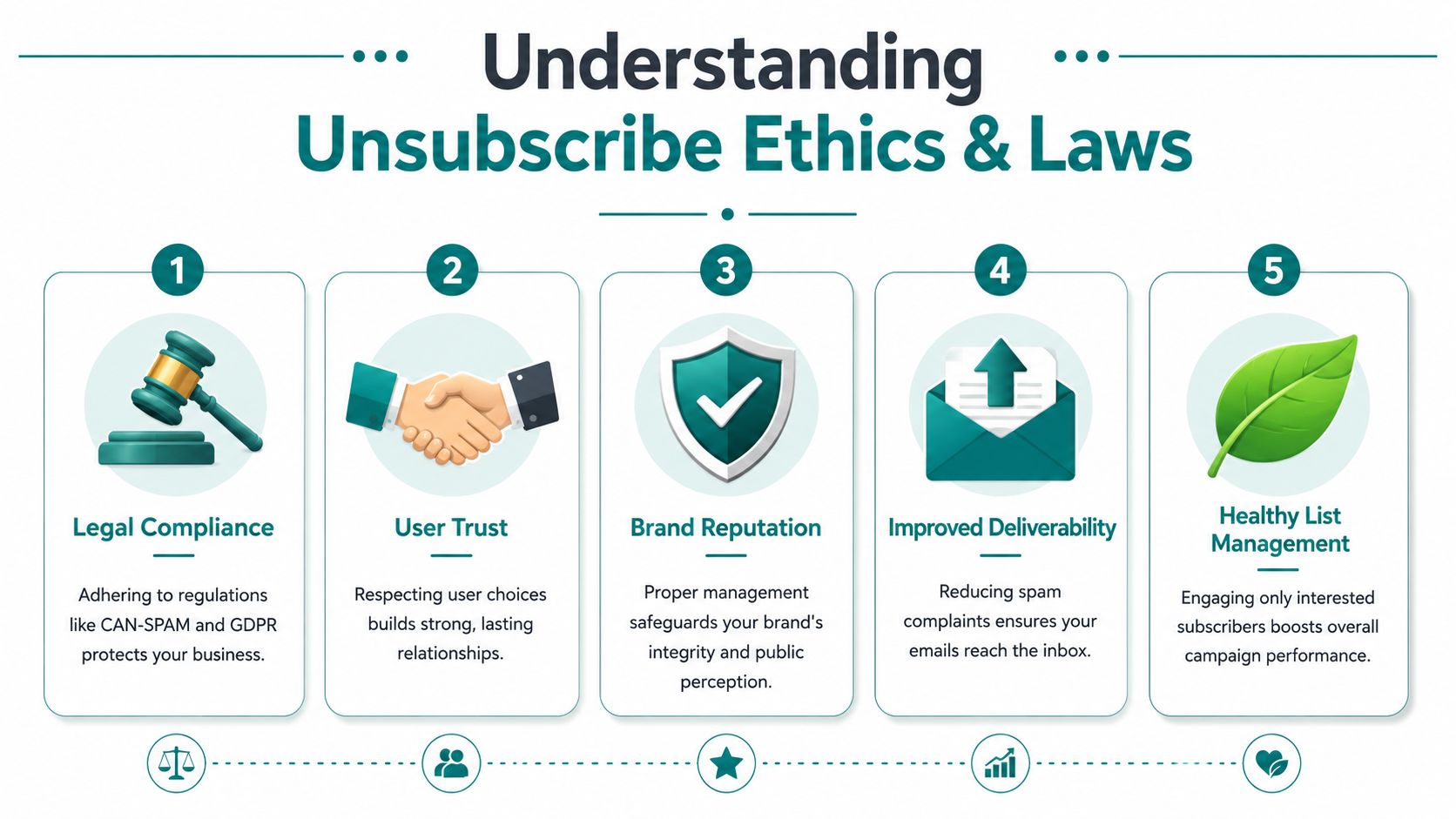
Most unsubscribe rules make more sense when you translate them into plain language. They aren't mainly about catching honest creators in a mistake. They exist because people should be able to change their mind.
When someone joins your list, they're giving you attention and inbox space. Good unsubscribe management is how you show that you understand the value of both.
The rules are simpler than they sound
At a practical level, respectful email sending usually comes down to a few basics:
- Be clear at signup. Tell people what they're joining and what kind of emails they'll receive.
- Make leaving easy. Don't hide the unsubscribe option or bury it behind extra steps.
- Honor the request promptly. Once someone opts out, your systems should stop sending them that type of email.
- Keep preferences transparent. If you offer choices, explain them in normal language.
The technical side supports that human promise. One foundational change has been the wider adoption of List-Unsubscribe and one-click unsubscribe standards. Salesforce notes that Gmail's phased rollout of a new Subscription Center began in June/July 2025, making it easier for users to see how many emails they receive from a sender and unsubscribe in a couple of clicks without opening a message, which makes unsubscribe management more directly tied to sender reputation and list hygiene (Salesforce on unsubscribe rates).
That means inbox providers aren't treating unsubscribe handling as an afterthought anymore. They're making it visible.
Why this helps your deliverability
Many creators hear “compliance” and immediately think stress. A calmer way to see it is this. These standards help mailbox providers decide whether you're acting like a trustworthy sender.
If people can leave easily, they don't need to take harsher actions.
When subscribers feel respected, they're less likely to treat your emails like a nuisance.
That doesn't mean every unsubscribe problem disappears. It means your process supports trust instead of friction.
There's also a useful connection here with listening to your audience more broadly. If you want a simple way to think about what your subscribers want, this guide on understanding VoC for growth is helpful. Voice of customer work and unsubscribe management are closely related. Both ask the same question: are we paying attention to what people are telling us?
Respect is easier to manage than fear
You don't need to memorize legal language to do this well. Start with these working principles:
- Don't force people to stay
- Don't confuse unsubscribe with preference changes
- Don't make people log in just to leave
- Don't keep mailing someone after they've opted out
That last one is where confidence grows. Once your unsubscribe management is set up properly, you're no longer guessing. You're running a cleaner, more respectful system.
And that makes sending your next email feel lighter.
Setting Up the One-Click Unsubscribe
This is the part many people assume will be technical and overwhelming. Usually, it isn't. In most email platforms, one-click unsubscribe is a setting, a built-in feature, or a header your provider supports for marketing emails.
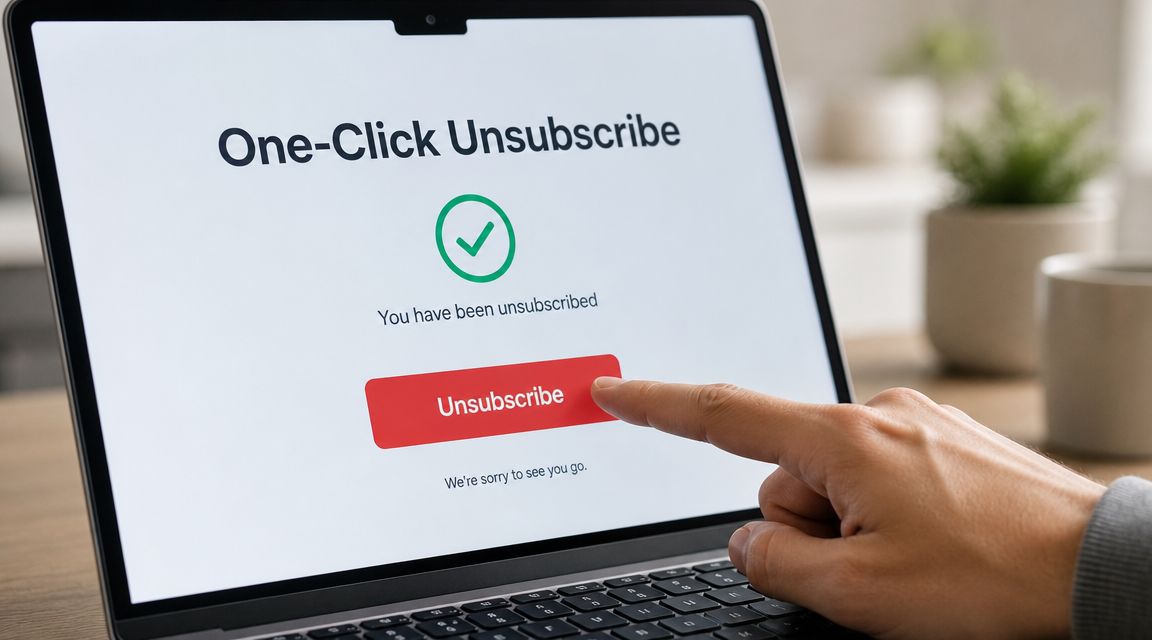
The heart of it is simple. A subscriber clicks once, or very close to once, and their request is processed without a maze of extra pages.
What one-click really means
A true one-click unsubscribe experience should feel obvious and easy. It should not require:
- A login wall
- A long survey before removal
- A hunt through account settings
- An unreadable footer link
MoEngage warns that when the unsubscribe link is hard to find or hard to use, recipients may report the message as spam instead, which hurts sender reputation far more than a normal opt-out (MoEngage unsubscribe link guidance).
That point is worth sitting with. Many creators try to reduce unsubscribes by adding friction. In reality, friction often makes the outcome worse.
A calm step by step setup
You don't need to know code to think through the flow. Use this mental checklist:
Place a clear unsubscribe link in every marketing email
Your footer is fine, as long as the link is visible and readable.Enable List-Unsubscribe support in your platform
Many modern email service providers handle this for you or provide instructions in settings.Send people to a confirmation page
After the click, show a simple message confirming they've been removed.Update your suppression list immediately
Once someone opts out, future sends should stop for that scope of subscription.Test the experience yourself
Click through one of your own emails and make sure the process feels easy.
If you're still choosing your tools, it helps to compare providers that make these settings easier to manage. This roundup of best email marketing platforms for small business can give you a practical starting point.
What should happen after the click
The unsubscribe flow should be quick, not dramatic. A subscriber shouldn't have to wonder whether it worked.
The Internet Society notes that opt-out links should remain operative for at least 60 days under CASL or 30 days under CAN-SPAM, and OTA recommends processing removals and suppression updates as soon as possible rather than waiting until the legal maximum (Internet Society unsubscribe best practices).
That means a strong setup looks like this:
| Step | Good experience |
|---|---|
| Link in email | Easy to spot |
| Click action | Immediate or near-immediate |
| Confirmation | Shown on a webpage |
| Backend update | Suppression list syncs right away |
| Future sends | Blocked correctly |
A short visual walkthrough can make this easier to picture:
Remember: The easiest unsubscribe path is often the safest path for your sender reputation.
You don't need to fear this setup. Once it's in place, every email you send carries less risk and more professionalism.
Using Preference Centers to Offer Choices
A subscriber clicks unsubscribe because they want clarity. In that moment, your job is simple. Make the exit clear, then offer choices only if they still want them.
That is the role of a preference center. It gives people a way to stay connected on terms that feel better to them. Used well, it can save a relationship without making anyone feel cornered.
NN/g draws this line clearly. Immediate unsubscribe should come first, and any alternatives or feedback should appear only after that action is complete (NN/g on unsubscribe mistakes).
Unsubscribe versus preferences
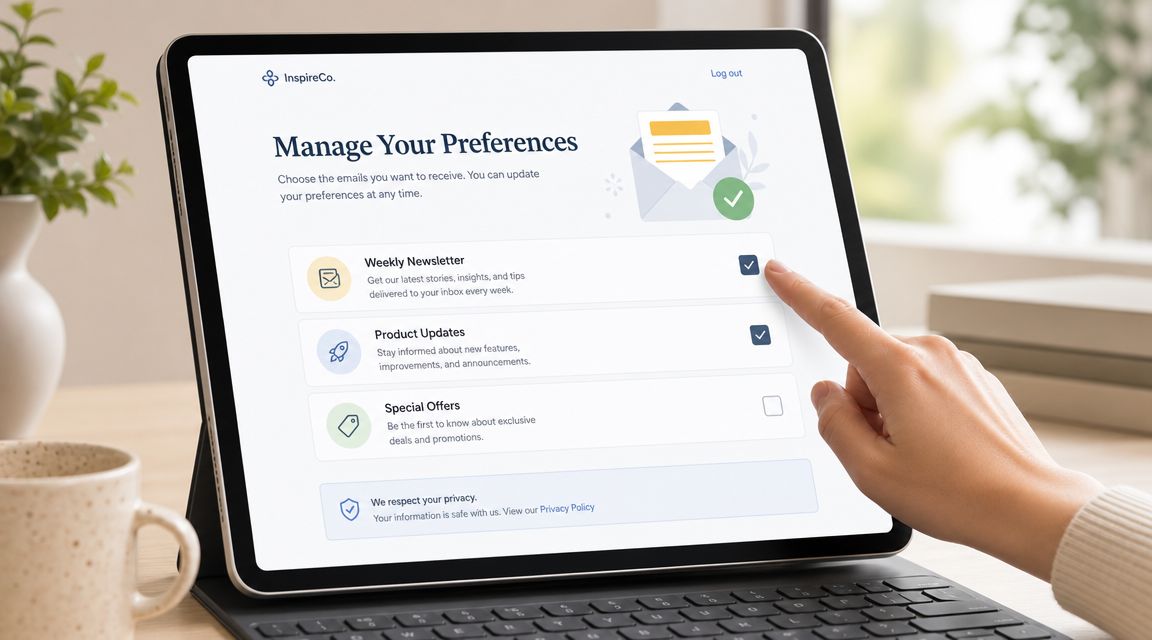
A preference center works like the settings menu on a phone. It lets someone adjust how much they hear from you, what they hear about, and sometimes where they hear from you. Unsubscribe is different. It ends that stream of email.
Here is the practical difference:
| Option | What it means | Best use |
|---|---|---|
| Unsubscribe | Stop sending that email stream now | When the subscriber wants out |
| Preference center | Let the subscriber choose topics or frequency | When they still want some contact |
The sequence matters. If someone asks to leave, let them leave first. Then, on the confirmation page, you can offer a calmer path such as fewer emails or narrower topics.
That order shows respect. It also gives you peace of mind because your system honors the request before presenting alternatives.
What belongs in a helpful preference center
A good preference center feels like a control panel, not a maze. The person should understand their options in seconds.
Useful choices often include:
Lower frequency
“Send me one roundup each week.”Topic selection
“Only send tutorials” or “Only send product news.”Pause option
“Pause emails for 30 days.”Channel choice
If it fits your business, let people choose email, SMS, or both.
Keep each option plain and specific. Vague labels like “fewer emails” create guesswork. Clear labels reduce frustration and help subscribers pick the version of your list that fits their life.
If you want help building those paths inside your email system, these email automation best practices can help you connect the preference page to the right tags, segments, and suppression rules. For a broader technical walkthrough, this email automation guide explains how automated flows and list logic work behind the scenes.
Why these choices can protect list quality
Sometimes the problem is not your brand. It is the mismatch between what you send and what the subscriber wants right now.
A preference center helps you catch that mismatch before it turns into frustration. Someone who is tired of daily emails may be happy with a weekly digest. Someone who no longer wants launch emails may still want tutorials. Those are not half-hearted subscribers. They are people asking for a better fit.
This is why preference centers support both respect and performance. You are not trying to talk someone out of leaving. You are giving interested people a quieter, more relevant way to stay.
A simple message on the confirmation page is often enough: “You've been unsubscribed. If you'd prefer fewer emails or different topics, you can update your preferences below.”
That wording lowers pressure. It tells the subscriber, “Your choice was honored first.” And that is the tone that builds trust, even on the way out.
Automating a Graceful Farewell
A good unsubscribe experience doesn't end with the click. The final moments matter because they shape the subscriber's last impression of your brand.
Often, small details make a big difference. Some creators remove people correctly but handle the exit awkwardly. Others mean well but accidentally send follow-up emails that feel unnecessary or even irritating.
What the ideal exit looks like
A respectful unsubscribe flow usually includes these pieces:
A confirmation page
A simple page that says the unsubscribe worked.Optional feedback
One brief question is enough, and only if it's clearly optional.Correct list handling
The system should remove the person from the intended email category or from all email, depending on what they chose.No extra confirmation email
If the webpage already confirmed it, another email can feel like one message too many.
That confirmation page matters more than people think. It removes uncertainty. The subscriber doesn't have to guess whether your platform processed the request.
Category unsubscribe and global unsubscribe are not the same
This is one of the most important operational details in unsubscribe management. Salesforce distinguishes between unsubscribing from one originating list and broader options such as Manage Subscriptions, Global Unsubscribe, and Universal Unsubscribe. In practical terms, a category unsubscribe removes someone from a specific newsletter, while a global or universal suppression means no email at all (Salesforce unsubscribe types explained).
That difference matters if you run more than one type of communication.
For example:
| Subscriber action | What should happen |
|---|---|
| Leaves your weekly newsletter | Stop that newsletter only |
| Requests full removal | Suppress all email sends |
| Changes interests in preferences | Update topic-based segments |
If your tools aren't clear about this, accidental sends can happen later. That's the kind of mistake that damages trust because the person thought they had already left.
Keep the automation simple and humane
You don't need an elaborate sequence. In fact, the simpler the better.
A clean offboarding automation could look like this:
- Subscriber clicks unsubscribe
- System removes them from the selected category or globally
- Confirmation page appears immediately
- Optional one-question survey appears on that page
- Suppression status syncs across connected systems
If you want a broader understanding of how these flows fit into your email setup, this email automation guide offers a useful overview. And if you're refining your own systems, these email automation best practices can help you think through the details without overcomplicating them.
Leaving people with clarity is part of serving them well, even if they never open another email from you.
That mindset keeps unsubscribe management from feeling cold or transactional. You're closing the loop well.
How to Measure Your List Health
You send an email you felt good about. A few people unsubscribe. Your stomach drops a little, and your first thought is that you did something wrong.
That reaction is normal. It is also not the best way to read what happened.
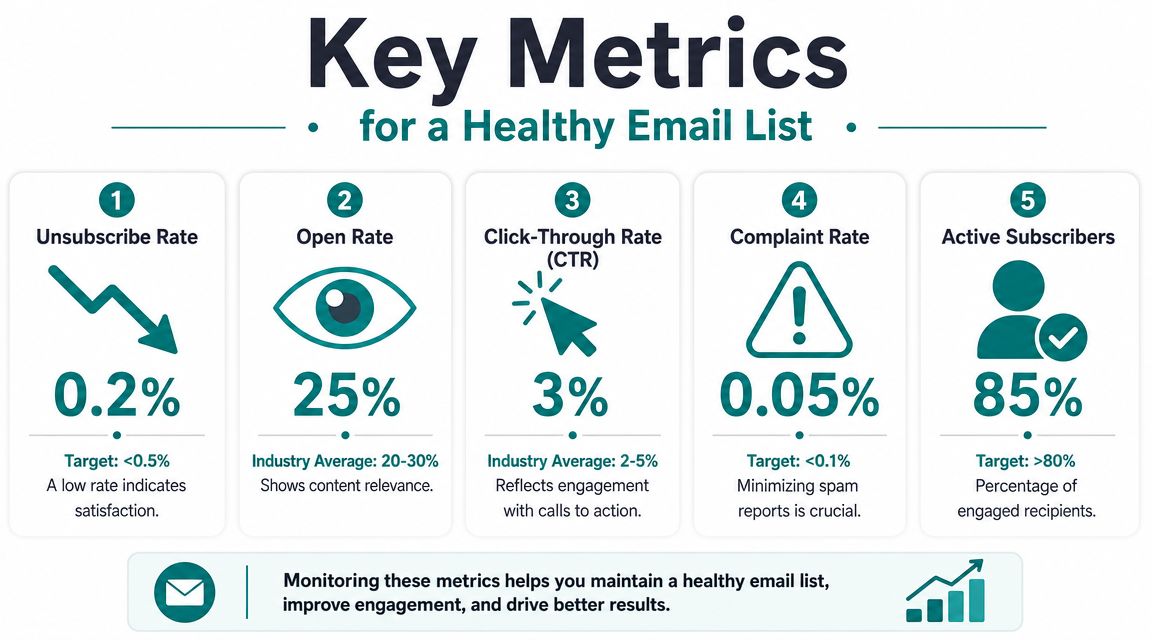
A healthy list is not a list where nobody ever leaves. A healthy list is one where the right people keep choosing to stay, open, click, and hear from you again. In that sense, unsubscribes work like a polite boundary. They help you see whether your content, timing, and promises still match what subscribers want.
 email list." />
What a healthy list actually looks like
It helps to stop chasing a perfect unsubscribe rate and start looking for patterns instead.
A low, steady unsubscribe rate usually means your emails are landing with the people who asked for them. A sudden jump after one campaign often points to a mismatch. Maybe the topic felt off, the promotion came too soon, or the email frequency crept past what that segment expected.
There is another pattern that confuses newer creators. Very low unsubscribes are not always good news. If open rates and clicks are weak at the same time, people may be tuning you out rather than actively leaving. Quiet disengagement can be harder to spot than a clean unsubscribe, which is why list Health is about more than one number.
How to read unsubscribe data without overreacting
Treat unsubscribes like feedback from a conversation, not a grade on your worth as a creator.
Ask practical questions:
- Is the rate fairly consistent? Consistency usually signals that your expectations and delivery match.
- Did one email trigger a spike? Review the subject line, offer, tone, and audience segment.
- Do unsubscribes rise when you send more often? That can point to cadence fatigue.
- Are certain segments leaving more than others? That may mean your messaging is too broad or your segmentation needs work.
This kind of review gives you peace of mind because it turns a vague worry into something you can address.
A simple monthly check-in
You do not need an advanced dashboard or a giant spreadsheet. A short monthly review is enough for many small businesses and creators.
| What to review | What to ask |
|---|---|
| Recent unsubscribe trend | Is it stable, rising, or tied to certain campaigns? |
| Emails with unusual exits | Did the topic, promise, or offer feel out of step? |
| Sending frequency | Am I emailing more often than this group expected? |
| Segment performance | Which audiences are staying engaged, and which are drifting? |
If your numbers feel muddy because too many inactive contacts are still on your list, this guide on how to clean an email list can help you make the picture clearer.
Good unsubscribe management supports ethical List Building. It protects your sender reputation, respects the subscriber's choice, and gives you cleaner feedback on what your audience values. That is the true goal. Not keeping every contact forever, but building a list that trusts you enough to stay for the right reasons.
When you view unsubscribes through that lens, they stop feeling like a verdict. They become one of the clearest ways your audience tells you the truth.